Choose your starting point.
Open a record’s neighbourhood from the table, or open Nerve Centre from Tools to begin with your table map.

MEET NERVE CENTRE / CONNECTED DATA, IN VIEW
Follow the relationships around your data. Nerve Centre brings tables, records and the paths between them into an interactive 3D workspace.
In the current development build · Public download coming soon
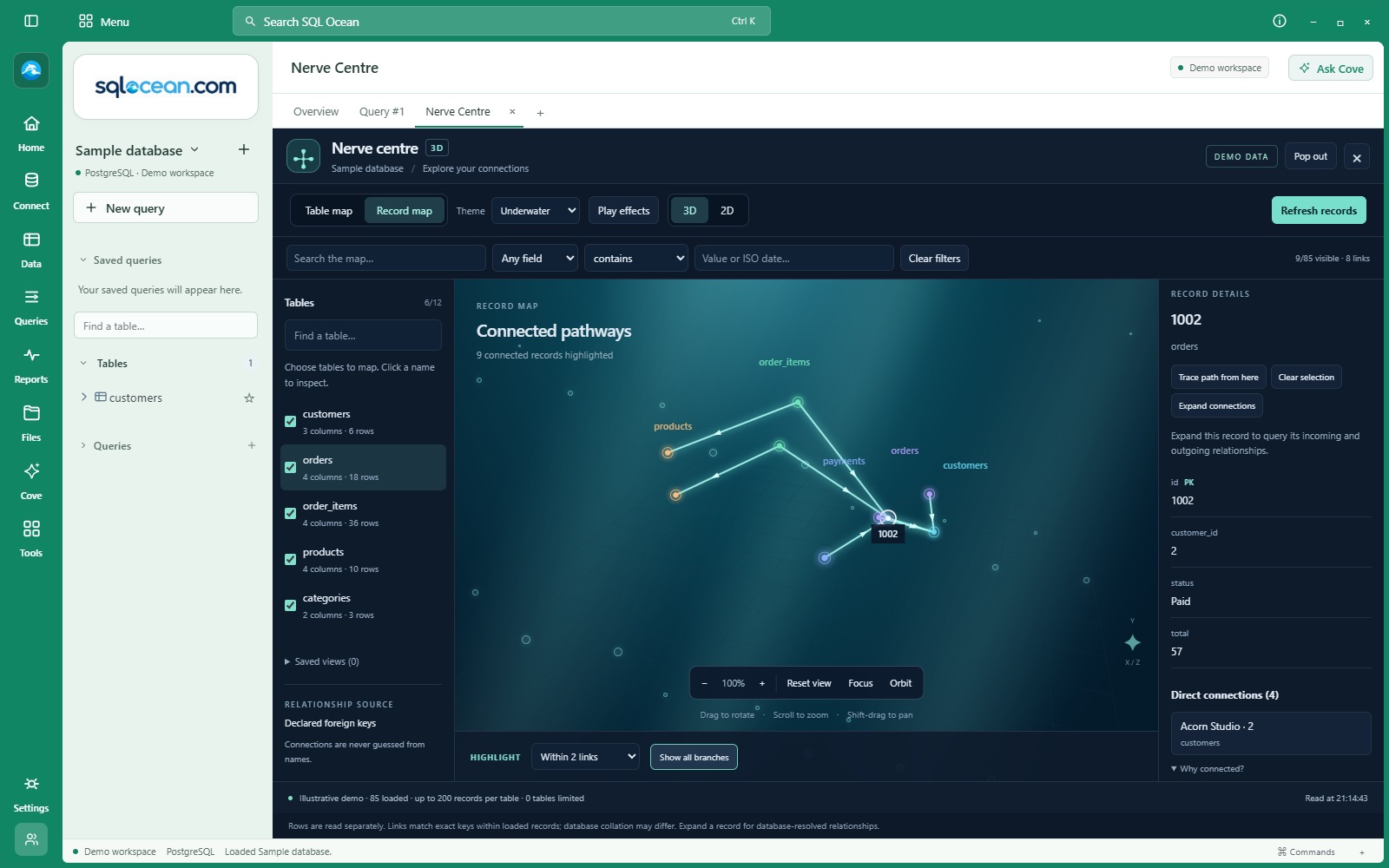 Explore the screenshot ↗
01 / START WITH A QUESTION
Right-click a table row and choose 3D Nerve model. Inspect its values, follow incoming and outgoing foreign-key relationships, then expand another record to keep exploring.
Open a record’s neighbourhood from the table, or open Nerve Centre from Tools to begin with your table map.
Select a node, choose the connection depth and isolate its branch. Search and field filters help narrow the loaded records.
Read the record in the inspector, check its direct connections and expand further when you need more context.
02 / SEE WHY IT CONNECTS
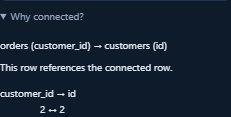
Open Why connected? to see the relationship and the key values behind it. In this demo, order 1002 has a customer_id of 2, matching the customer’s id of 2.
The map follows declared foreign keys. Similar column names alone do not create a connection.
03 / FOLLOW THE PATH
Choose Trace path from here, then select a destination. Nerve Centre highlights a shortest connected path in the loaded graph. Here, an order reaches a desk lamp through its order item.
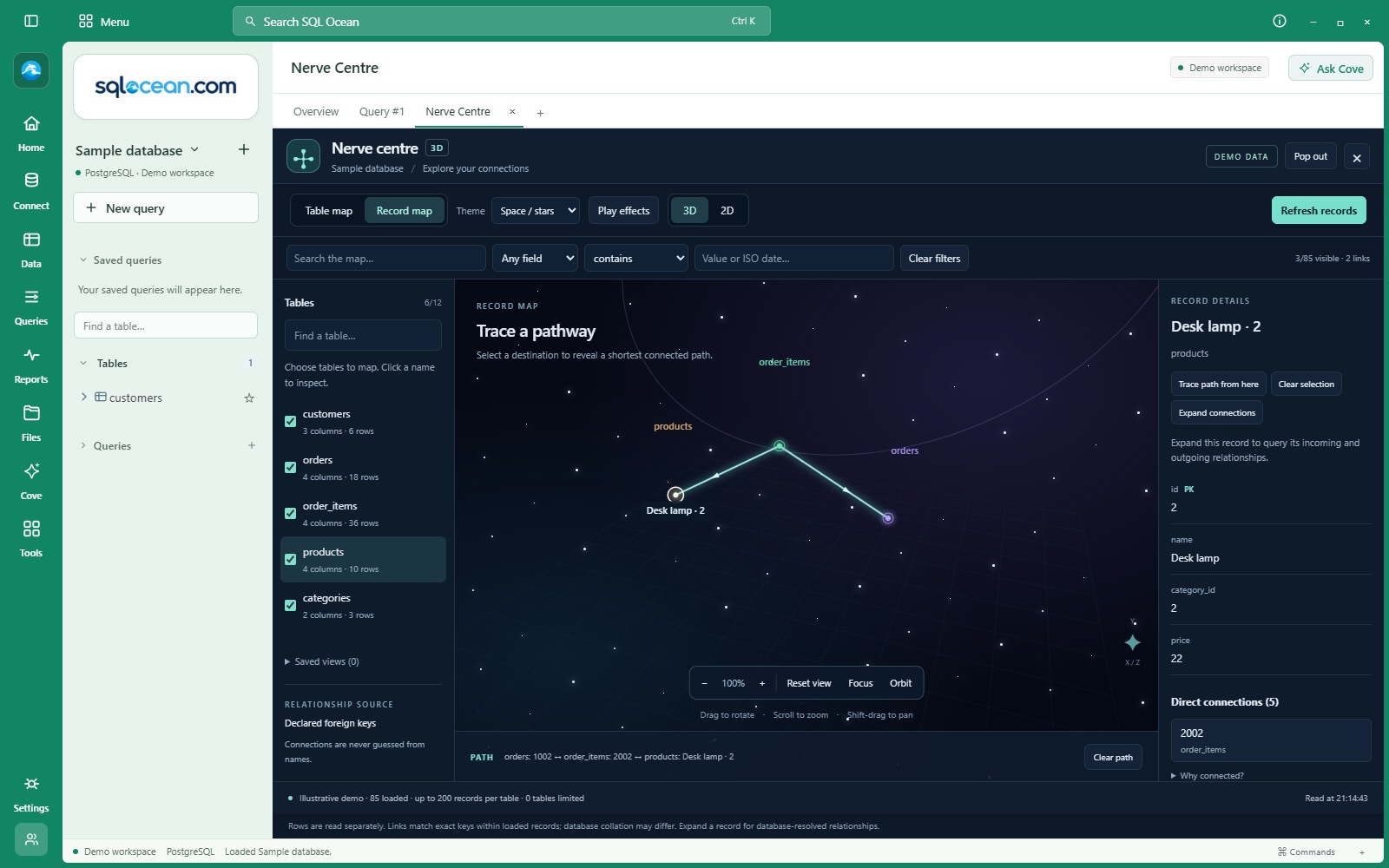 View the pathway full size ↗
04 / STEP BACK TO THE STRUCTURE
Choose the tables you want to explore and see their declared relationships. Switch to a record map to inspect individual rows and exact key matches within the loaded sample.
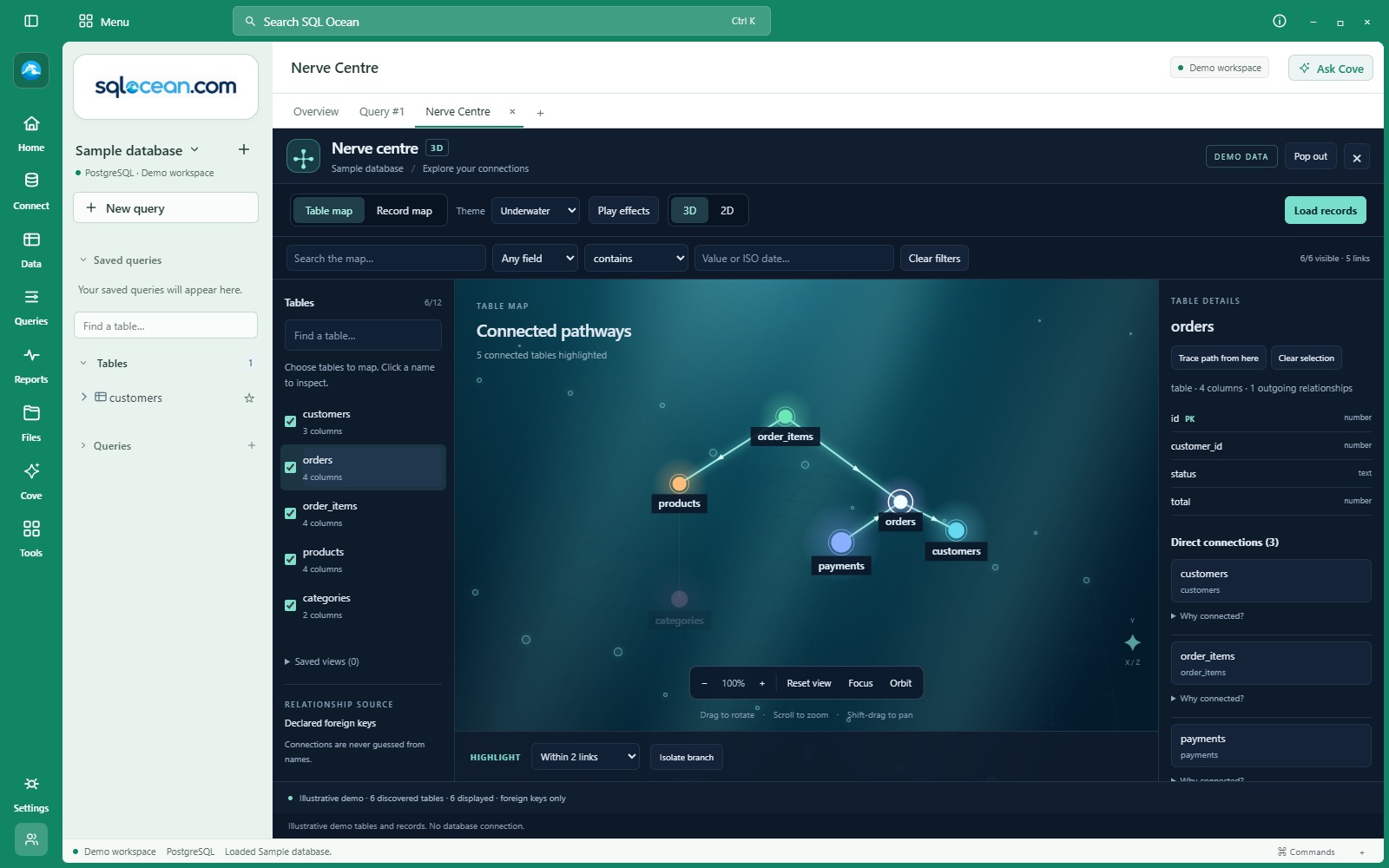 View the table map full size ↗
YOUR MAP / YOUR PERSPECTIVE
Keep the map alongside your queries, return to the view you were exploring, and choose the perspective that makes the relationships clearest.
Nerve Centre opens in a tab. Pop it out within the app, then dock it again with your selection, filters and camera preserved.
Rotate, pan, zoom and focus on a selection. Switch between 3D and 2D, or use orbit to turn the view continuously.
Choose Default, Underwater, Space / stars or Cinematic fog. Pause visual effects and save named views locally for later.
Each view supports up to 12 tables and 200 records per table. Coverage notes identify limited or unavailable branches. A missing path means there is no path in the loaded graph; expanding more records can reveal more connections. Available metadata and record loading depend on the provider.
Record samples are read separately, not as one consistent database snapshot. The screenshots show the application’s built-in demo, not a live production database.
Nerve Centre is part of SQL Ocean. 45 days free, then £5/month.
Public download coming soon.