FILES & CLOUD / BEYOND THE DATABASE

The files around
your data.

Reach the export on your file server, browse a cloud folder or explore an S3 bucket. Keep those connections beside the databases you already work with.

Files & cloudILLUSTRATIVE FOLDERS
SFTP / data-team / exports
▱daily-reportsFolder
▤customers.csvFile
▤orders.jsonFile
▤readme.txtFile

Browse folders. Choose a file. Download a local copy.

FILE SERVERS

Familiar protocols.
Fewer places to look.

Saved FTP and SFTP profiles open directory browsers inside the connection hub. Browse and download without replacing your SQL workspace.

⇣

FTP / FTPS

Browse authenticated directories and download server files. Explicit TLS is the default, with implicit TLS and plain FTP also available.

  • Host, port and account configuration
  • TLS certificate verification for FTPS
  • Folder navigation and file downloads
⌁

SFTP

Access files over SSH using a password or private key. Supply the server’s SHA256 host-key fingerprint when setting up the connection.

  • Password or private-key authentication
  • Optional private-key passphrase
  • Host-key verification, browsing and downloads

Browse and download. FTP, SFTP and cloud-drive integrations are currently read-only: remote upload, rename and deletion are not implemented. S3 has a separate object-storage workflow.

DIRECT CLOUD BROWSING

Open a folder.
Wherever it lives.

Sign in through your browser, then browse files inside SQL Ocean. These integrations connect directly to provider APIs; they do not require a locally synced folder.

OneDrive

Browse folders, load further pages of files and download content from personal or work accounts, subject to the configured application and account permissions.

Dropbox

Browse folders and download files. Access can cover an app folder or the full account, depending on the registered Dropbox application.

Google Drive

Browse My Drive folders and download regular files. Google-native document export and shared-drive selection are not currently implemented.

Cloud setup is required. Supply your provider OAuth application details in the connection form. SQL Ocean does not yet ship with a production OAuth client registration. Tokens are encrypted on the device; signing out removes the local tokens.

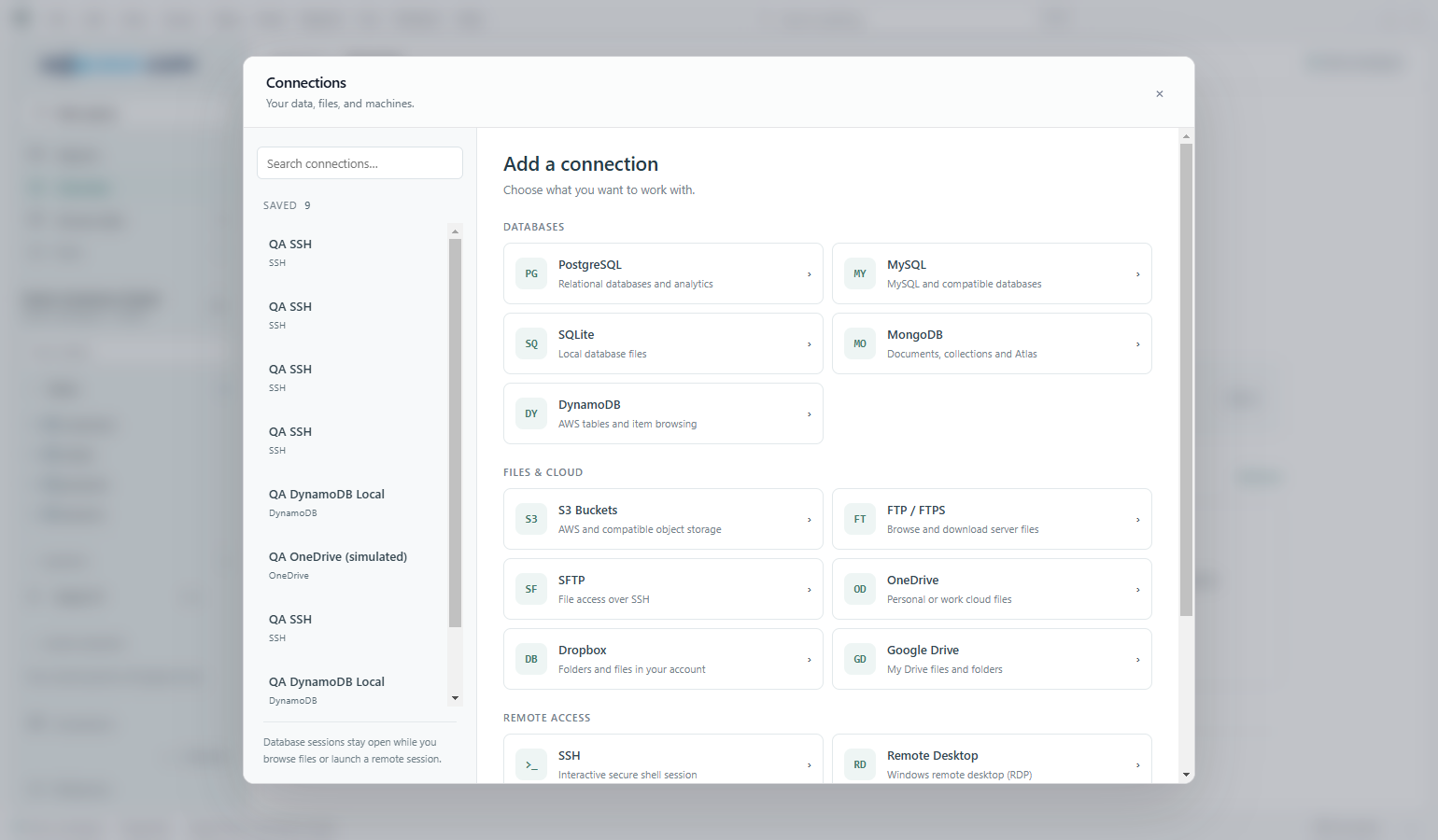
SQL Ocean connection hub grouping databases, FTP, SFTP, cloud drives and remote accessView full size ↗
Development screenshot · Saved QA profiles and simulated cloud account · No live cloud files shown

S3-COMPATIBLE STORAGE

Objects, buckets
and exports.

Use the separate S3 workspace to browse buckets and prefixes, preview objects, upload and download. Configure a compatible endpoint and use the permissions attached to your credentials.

Explore S3 storage →

FROM FILE TO TABLE

Bring it into
your workflow.

Download a CSV or spreadsheet, then use the database import tools to review column mapping. Export selected rows as CSV, JSON or Markdown when it is time to share a result.

See import & export →

Databases, files
and a little more freedom.

90 days free. Then £5/month. Provider and infrastructure charges are separate.

Check download availability