Substitute.
Replace text with a pattern. Use {n} for a stable number per distinct value.

DATA MASKING / WORK ON A COPY
Create a separate dataset for testing or demonstrations. Choose what to mask, inspect the result and save the reviewed copy as JSON. Source rows stay unchanged.
New in the development build · Public download coming soon
 View full size ↗
FIVE WAYS TO CHANGE A VALUE
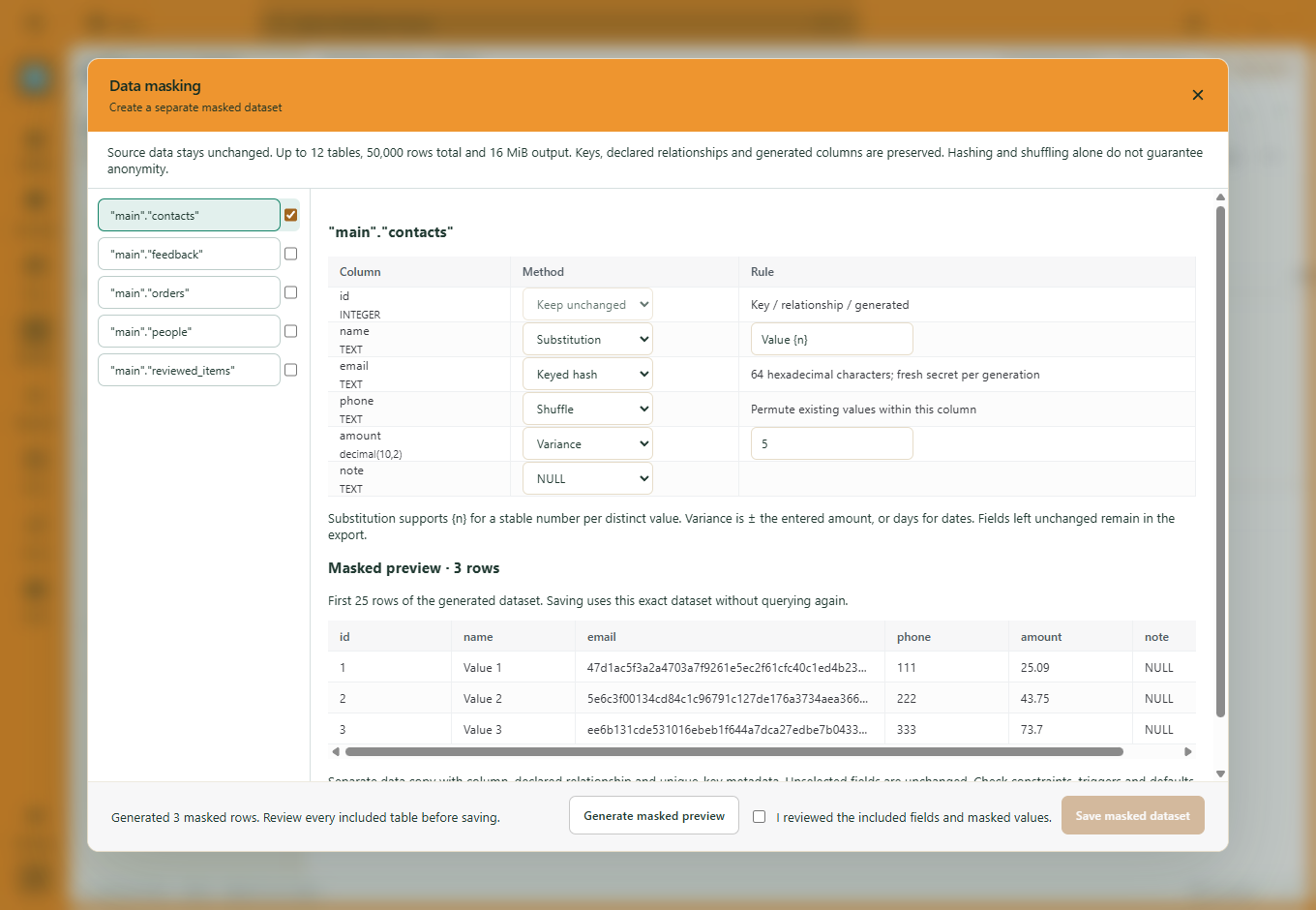
Open Ctrl+K → Data masking, choose your tables and set a method for each eligible column.
Replace text with a pattern. Use {n} for a stable number per distinct value.
Adjust numbers within a chosen amount, or dates within a chosen number of days.
Rearrange existing values within the selected column.
Generate keyed hashes with a fresh secret for each generation. The secret is not exported.
Set eligible nullable fields to NULL when you do not need their values in the copy.
PREVIEW BEFORE YOU SAVE
Generate a masked preview, review every included table and confirm the fields and values before saving. The JSON export uses that exact generated dataset.
Masking reads source rows and builds a separate dataset. It does not update the original tables.
Primary keys, generated columns and declared relationship columns cannot be masked. There is no key remapping.
Unselected fields remain unchanged. Hashing and shuffling alone do not guarantee anonymity; check the data you intend to share.
The reviewed data and structure metadata in JSON. It is a data copy, not a complete schema backup. Database collations, checks, defaults and triggers are not recreated or fully validated.
PostgreSQL, MySQL, SQL Server and SQLite. MySQL requires InnoDB for snapshot guarantees. Select up to 12 tables and 50,000 rows total, with 256 columns per table, 12 MiB input and 16 MiB compact output. The preview shows the first 25 generated rows.
No. These masking methods do not use AI. Fill with AI is a separate workflow for generating reviewed column values.
45 days to explore. £5/month after your trial. Public downloads are being prepared.
Download trialMORE WAYS TO WORK
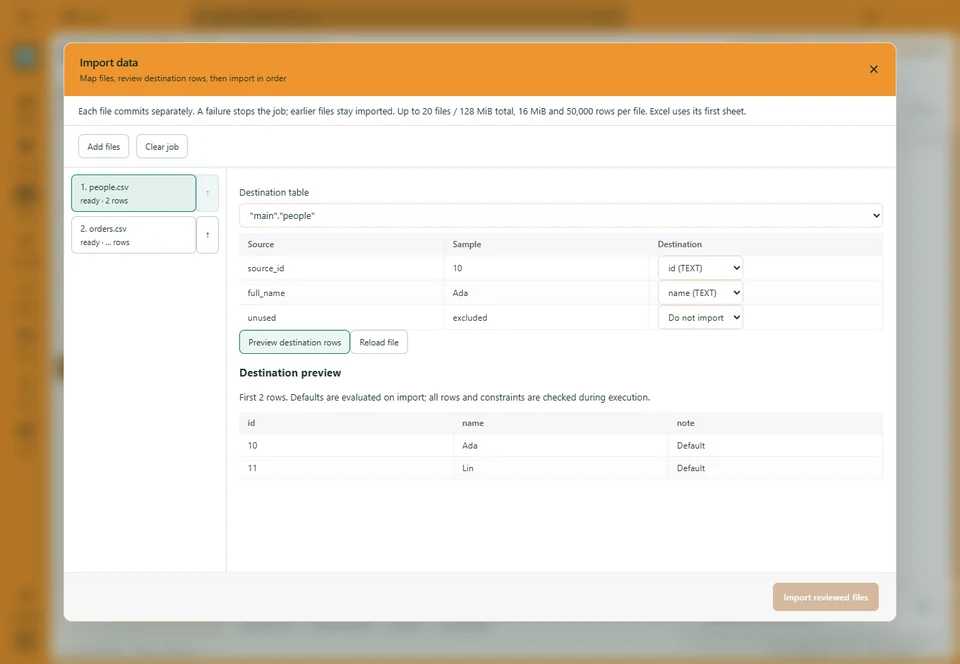
Map columns, keep exclusions and bring several files into one job.
Explore the workflow ↗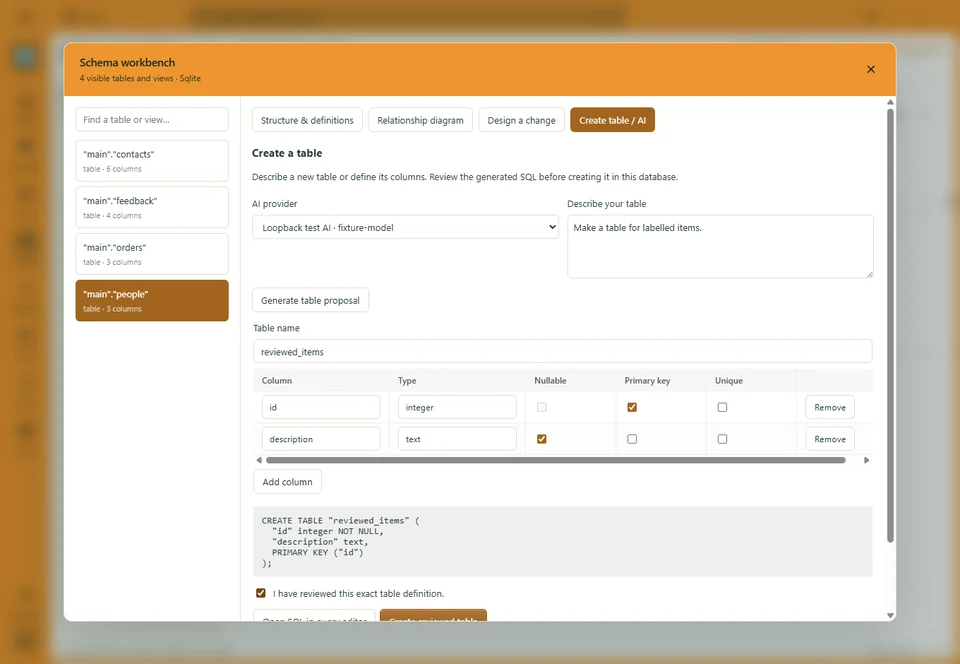
Start by hand or with AI. Edit the definition and review the SQL.
Explore the workflow ↗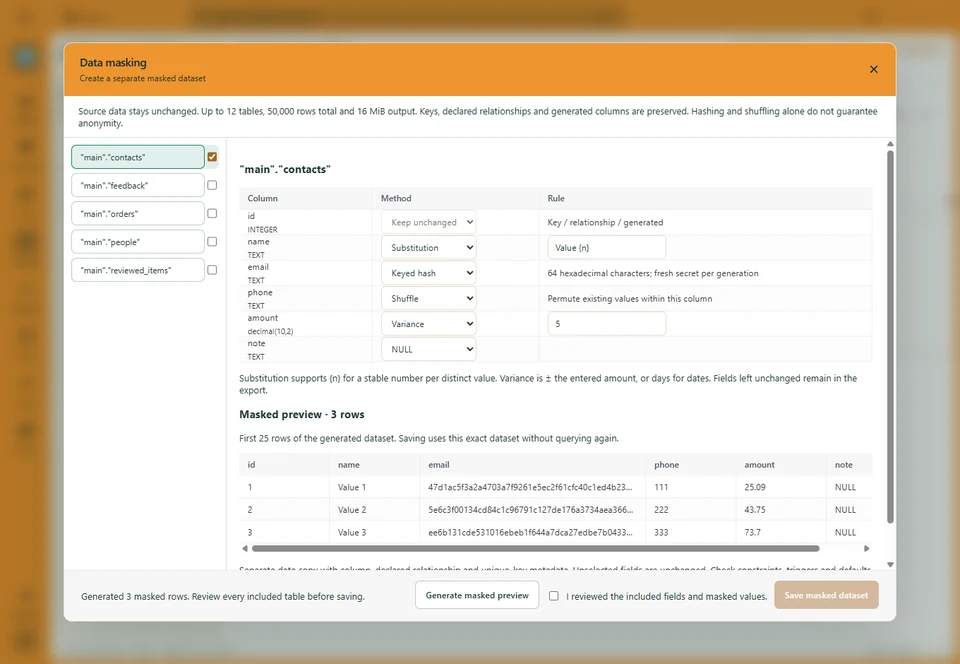
Choose column rules, inspect the result and export a separate dataset.
Explore the workflow ↗