Pop out. Dock back in.
Move the session into a native resizable window and return it to the app. Closing the pop-out docks it; Disconnect is a separate action. The main app must stay running.

REMOTE ACCESS / KEEP YOUR WORK TOGETHER
Open a Remote Desktop tab beside your SQL. Pop it into its own window when you need more room. Keep SSH, VNC and terminal launchers in the same connection hub.
Remote connections keep your SQL workspace open.
REMOTE DESKTOP
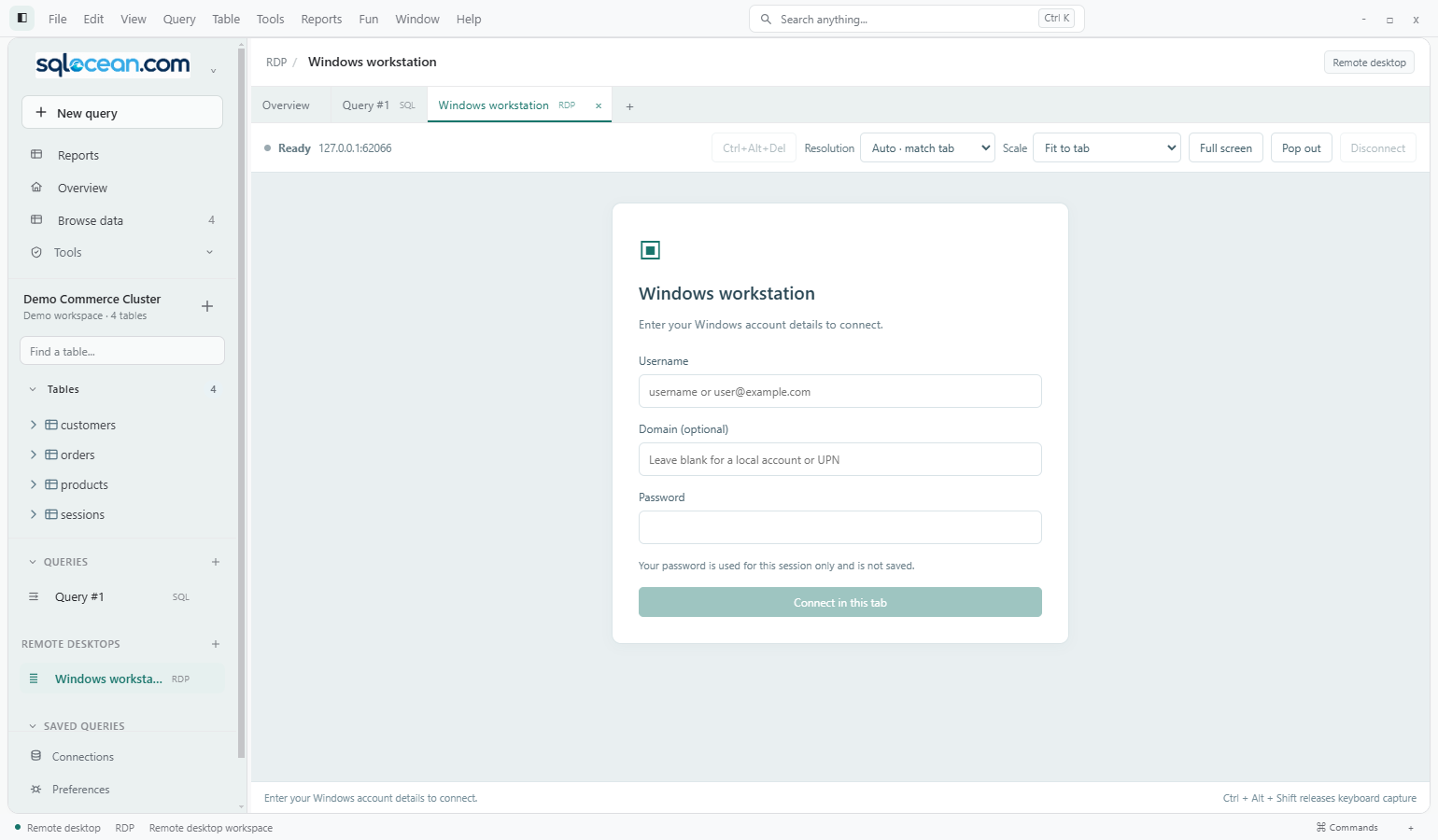
RDP opens inside the app by default. SQL, reports, Fun workspaces and remote desktops share a tab bar, so you can move between them.
Move the session into a native resizable window and return it to the app. Closing the pop-out docks it; Disconnect is a separate action. The main app must stay running.
Use automatic sizing, match the monitor or select a fixed resolution. Fit-to-tab, actual pixels and full screen let you choose how the desktop is displayed.
Switch tabs without unmounting the session. Use keyboard and mouse input, send Ctrl+Alt+Del, or disconnect and reconnect from the session toolbar.
RDP uses TLS/NLA with certificate review for unknown certificates. Passwords are entered for the session and are not saved in the connection profile.
 View full size ↗
Remote resolution changes depend on server support. Clipboard, audio, drive/file and printer redirection, RD Gateway and multi-monitor sessions are not currently integrated. The external Windows Remote Desktop client remains an option.
SHELLS & SCREEN SHARING
Save the details once, then launch the client suited to the job. These sessions open outside the SQL Ocean window.
Configure a host, port, username and agent or key-file authentication. Launch Windows OpenSSH in PowerShell; confirm the host key and enter any password in its own prompt.
Interactive SSH access is separate from database SSH tunnelling, which is not implemented.
Save a host and port, then open the registered VNC client or screen-sharing handler.
Requires a compatible installed viewer and URL handler. VNC is not embedded in an app tab.
Launch PowerShell or Command Prompt in an interactive system window. Set an optional working directory for the connection.
The SSH and local terminal launchers currently target Windows.
No. Disconnect closes the connection. It does not log the remote Windows user out.
The pop-out window can move between monitors. Match monitor and automatic display settings follow the window; remote resize still depends on the server accepting the request.
For remote-access profiles, the connection test checks that the host and port are reachable. It does not prove authentication or desktop compatibility. RDP uses a separate certificate-review and sign-in flow.
Browse FTP, SFTP, cloud drives and S3 alongside your database work.
Explore files & cloud