Find the right columns
Search the source table’s columns, select the ones you need or use All and Clear. Set the sorting and returned-row limit.

BUILD AND COMPARE / FROM A QUESTION TO SQL
Choose columns, preview a transformation and open the generated SQL in your editor. Capture a baseline when you need to compare results or table structure.
Loaded-result comparison is included in Free. Live relational query building and schema comparison currently require Pro. · Public download coming soon
 View full size ↗
A SELECT YOU CAN READ
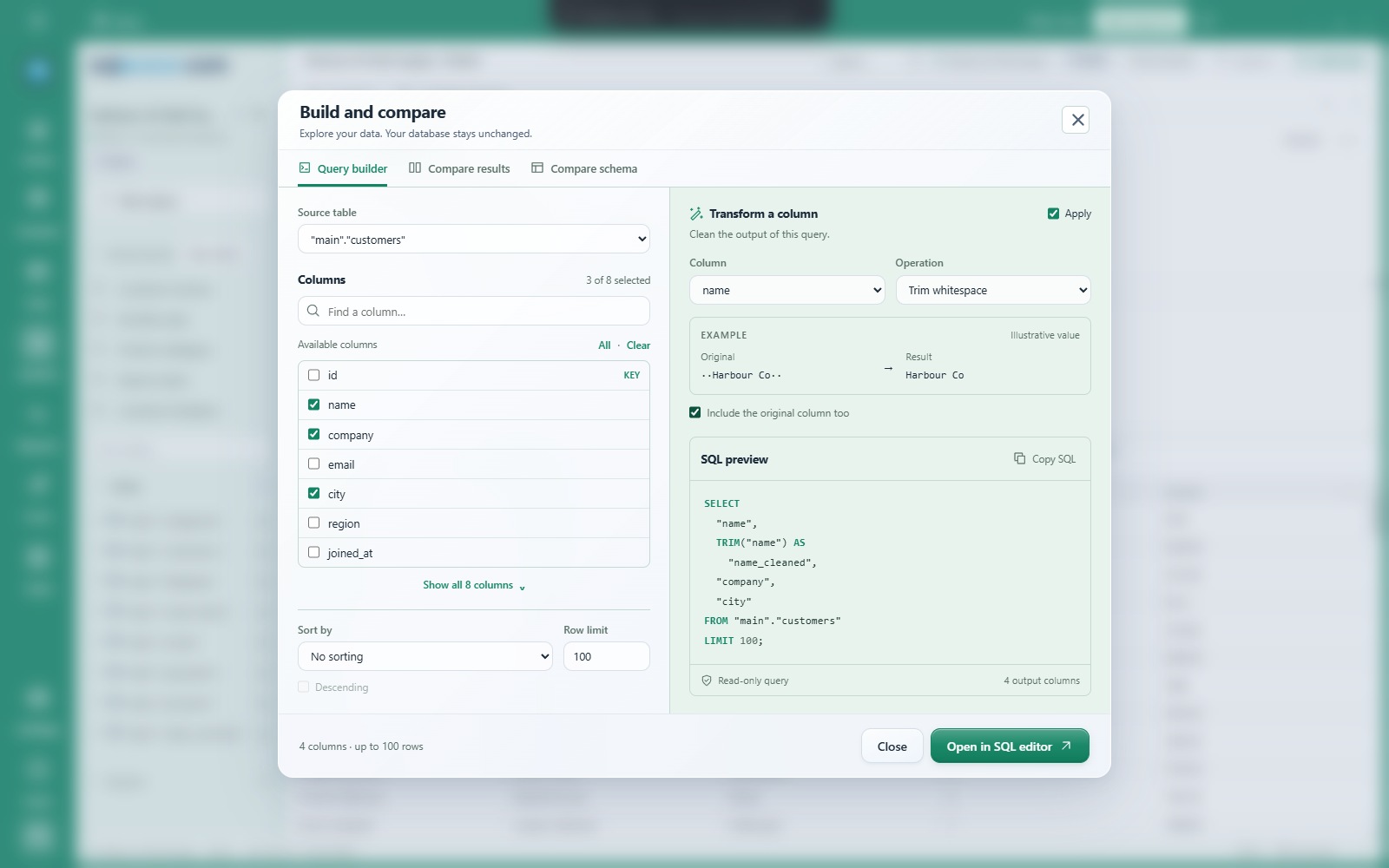
Build and compare brings a column picker, sort options, row limit and SQL preview into one dialog.
Search the source table’s columns, select the ones you need or use All and Clear. Set the sorting and returned-row limit.
Trim whitespace, change text case or turn blank text into NULL. Keep the original column alongside the transformed value if useful.
Copy the highlighted statement or choose Open in SQL editor. Building the query does not execute it or change stored values.
KEEP A BASELINE
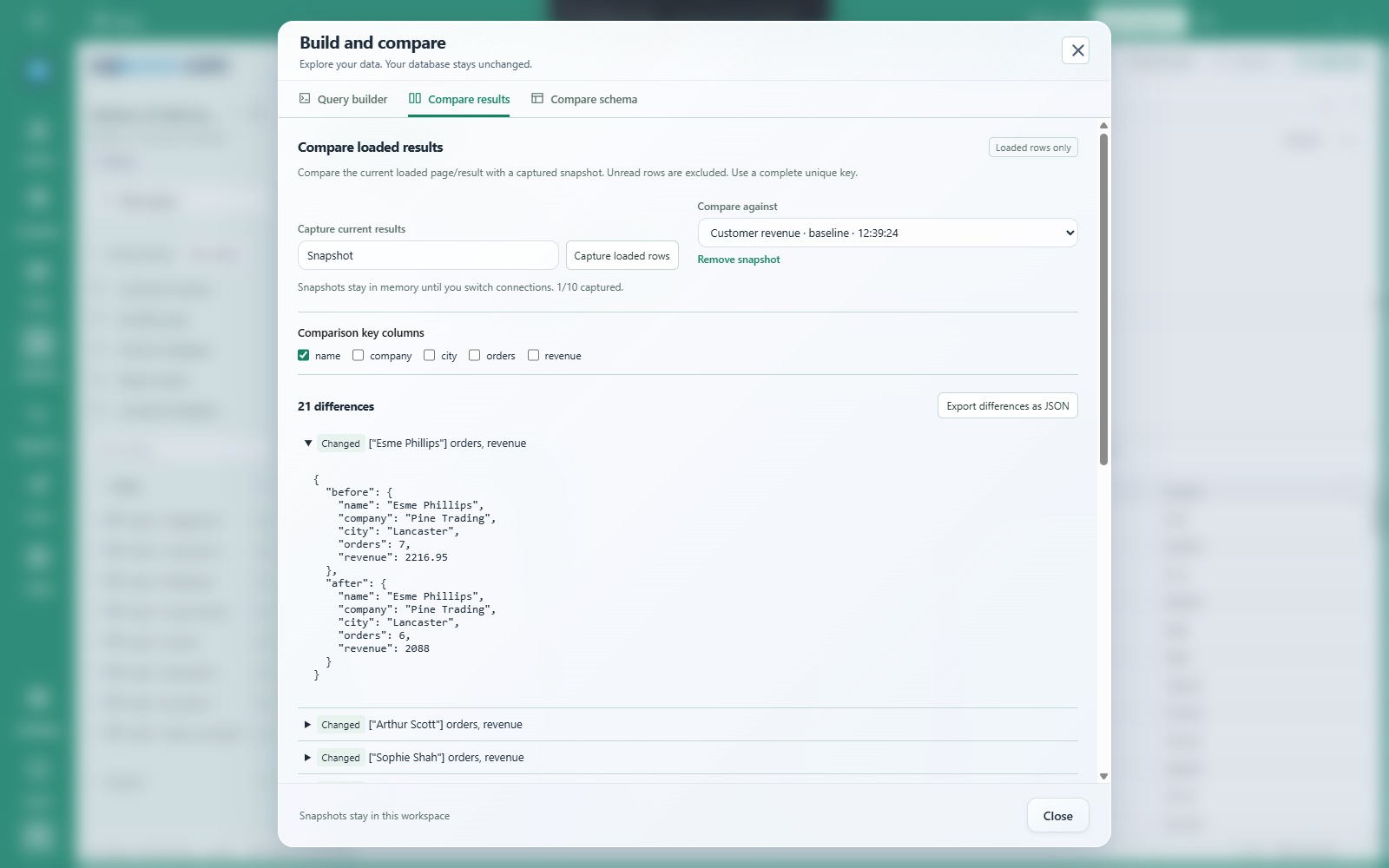
Capture the current loaded result, choose the columns that uniquely identify each row, then compare with another result in the same connection.
 View full size ↗
LOOK AT THE STRUCTURE
Capture the visible schema catalogue and compare columns, types, nullability, primary keys and declared relationships.
Use it to inspect changes in the definitions available to your database account. Indexes, triggers and permissions are outside this comparison.
Comparison shows differences. It does not generate or execute a synchronisation job. Use Schema workbench to review a deliberate change.
Snapshots stay in memory until you switch connections. Keep up to ten snapshots; a result snapshot supports up to 10,000 loaded rows. Unread rows are excluded. A schema snapshot covers visible metadata, not a complete database backup.
Explore Schema workbench →Free for everyday SQL. 40 days of Pro included automatically for new Windows users. Optional Pro is £7.50/month.
Check download availability ↗KEEP EXPLORING